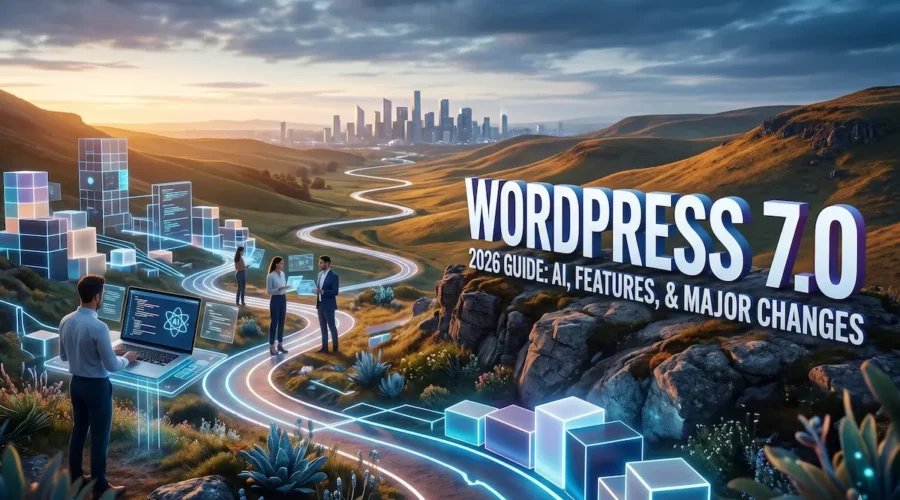
WordPress 7.0 Release Date, New Features, AI Integration & Major Changes Explained (2026 Guide)
The web development landscape is experiencing a massive shift, and at the center of it is WordPress 7.0. As the most consequential update to the world’s most popular content management system (CMS) in years, this milestone release officially activates Gutenberg Phase 3. While previous versions focused heavily on layout design and site editing, this update completely overhauls how we create content, manage data, and run workflows.
Whether you are a casual blogger, an enterprise agency owner, or a core developer, the WordPress 7 update introduces radical changes. From a modern, app-like admin dashboard redesign to core-level artificial intelligence (AI) infrastructure, this guide covers everything you need to know about the transition to version 7.0.
| KEY TAKEAWAYS
· General Release: May 20, 2026 (Following beta extensions) · Flagship Move: Native, provider-agnostic AI Framework · UI Overhaul: DataViews interface replaces legacy lists · Core Focus: Collaboration & layout precision (Phase 3) |
The WordPress 7.0 Release Date & Extended Testing Timeline
The journey to the official WordPress 7.0 release date reflects the development team’s commitment to core stability over rushing a major release. Originally scheduled for early April 2026 to coincide with WordCamp Asia, the core release squad updated the deployment schedule to allow for deep compatibility testing across complex hosting environments.
The finalized WordPress 7.0 release date is May 20, 2026.
Why the Extended Testing Phase Matters
This major version upgrade replaces legacy systems that have existed in the core database for over a decade. The extended testing cycle, which stretched through five beta versions and four Release Candidates (RCs), was driven by two main technical architectural shifts:
- Real-Time Collaboration Storage: Early builds faced performance hurdles because active user updates disabled standard object caching. The team used the extra time to optimize how collaborative editing metadata interacts with the database.
- React 19 Integration: Upgrading the block editor’s JavaScript foundations to React 19 required extended field testing to avoid breaking old plugins.
For production websites, this cautious approach by the core team means fewer broken layouts on launch day.
Top New Features in WordPress 7.0
The new features in WordPress 7.0 change the balance between what requires a plugin and what works right out of the box. Let’s break down the major features included in this release.
Real-Time Collaborative Editing & Workflows
As the foundation of Gutenberg Phase 3, WordPress now supports real-time co-editing. Built on the open-source Yjs engine (a framework for resolving data conflicts), multiple authors can edit a single document simultaneously.
- Live Cursors: See exactly where other team members are working with color-coded cursor indicators.
- Threaded Block Comments: Leave feedback, tag team members, and resolve editorial notes directly on individual blocks instead of using third-party workflow apps.
- Offline Resilience: If your internet drops mid-sentence, the local engine queues your edits and merges them seamlessly when connection returns.
| ⚠️ Note on Collaboration Availability: If your post or page uses classic, legacy PHP meta boxes (add_meta_box()), WordPress 7.0 will automatically disable real-time collaboration for that specific post to prevent data overwrites. |
The New Admin Dashboard Redesign & DataViews
The classic wp-admin dashboard receives its most apparent visual refresh in a generation. Rather than replacing the backend entirely, version 7.0 updates it with a cleaner layout, lower-contrast backgrounds, and fluid visual elements. The standout feature of this redesign is DataViews.
DataViews completely replace the legacy table interfaces on your Posts, Pages, and Media library screens. You can instantly filter content by author, status, or tag, toggle between list and grid views, and execute bulk actions without full page reloads.
Improved Block Editor & Layout Controls
Designing complex pages no longer requires a commercial page builder. The core editor receives several precision updates:
- Responsive Visibility Controls: You can now hide or show individual blocks based on the visitor’s device type (Mobile, Tablet, Desktop) directly from the block options panel—no custom CSS required.
- Native Grid Block Upgrades: The core Grid block now features responsive auto-wrapping layouts that adapt to smaller viewports automatically.
- Visual Revisions: Revision histories are no longer limited to side-by-side text code diffs. Version 7.0 brings visual block-by-block comparison states, letting you see exactly what changed visually before hitting restore.
Two New Core Blocks
- Icon Block: Insert scalable SVG icons directly into your text or layouts, complete with native controls for background colors, borders, and margins.
- Breadcrumbs Block: Add hierarchical navigation strings to your posts and templates to improve user navigation and boost search engine optimization (SEO) crawl structuring.
WordPress 7.0 AI Features Explained
The most forward-facing shift in this release is the introduction of WordPress AI features baked directly into the CMS framework. Rather than locking users into a single proprietary artificial intelligence provider, WordPress 7.0 introduces an open architecture.
The WP AI Client & Connectors API
The engine behind these capabilities relies on two new core systems: the WP AI Client and the Connectors API. Located under Settings > Connectors, this dedicated dashboard allows site owners to connect their preferred AI models (such as OpenAI, Google Gemini, or Anthropic) using direct API keys.
Because the core handles request routing, you can switch your backend provider from OpenAI to Anthropic with a single toggle, without rewriting or breaking your AI-dependent plugins.
Real-World AI Workflows in Version 7.0
- Context-Aware Content Help: Inline text generation features allow you to highlight a paragraph and rewrite, shorten, or expand it based on the surrounding block context.
- Client-Side Media Processing: When you upload massive images, the browser handles image scaling and optimization directly before hitting your web server, reducing server timeout errors.
- The Abilities API: Developers can query feature detection rules to confirm whether a user’s connected AI model supports specific tasks, ensuring fast execution times and lower API costs.
WordPress 7.0 for Developers
For engineering teams and product developers, the WordPress 2026 update introduces modern workflows while removing old development bottlenecks.
PHP-Only Block Registration
For years, creating a custom Gutenberg block required managing a JavaScript build pipeline, configuring Webpack/wp-scripts, and writing React components. WordPress 7.0 introduces PHP-only block registration. You can now define, register, and render custom blocks entirely using PHP attributes and server-side templates. This lowers the barrier to entry for classic theme developers and speeds up custom development for quick client projects.
React 19 Alignment & The Interactivity API
The block editor’s transition to React 19 brings concurrent rendering advantages, allowing heavy block layouts to load smoothly. Additionally, the Interactivity API receives optimizations, making it easier to build frontend experiences (like instant search fields or live filters) with minimal JavaScript footprint.
Elevated Server Environment Requirements
To maintain security standards and support modern data-handling practices, WordPress 7.0 updates its baseline recommendations:
- Minimum PHP Version: PHP 7.4+ (PHP 8.1+ Recommended)
- Minimum Database: MySQL 8.0+ or MariaDB 10.6+
WordPress 7.0 vs. WordPress 6.8
To help visualize how much the platform has changed, let’s look at a head-to-head architectural comparison between WordPress 7 vs WordPress 6.
| Feature Category | WordPress 6.8 (Legacy Approach) | WordPress 7.0 (Modern Architecture) |
| Real-Time Collaboration | Locked; requires third-party SaaS tools | Native core co-editing powered by Yjs |
| AI Integration | Fragmented via individual vendor plugins | Unified, provider-agnostic WP AI Client |
| Admin UI Framework | Legacy PHP-based WP_List_Table screens | Fast React-driven DataViews with layout toggles |
| Block Visibility | Dependent on custom CSS or layout wrappers | Native device-based viewport toggle controls |
| Custom Blocks | Requires full React compilation pipelines | Supports native PHP-only block registration |
| Font Management | Limited primarily to block-based options | Core Font Library available to all classic themes |
| Revision System | Code-level textual comparison strings | Visual block-by-block interface comparison diffs |
Potential Risks Before Updating
A major structural update like WordPress 7.0 comes with inherent stability considerations for live business operations. Before clicking the update button on a production site, monitor these risk areas:
- React 19 Breaking Changes: Plugins utilizing outdated React lifecycle processes or unmaintained blocks may crash the page editor interface upon launch.
- Real-Time Sync Overhead: While the default sync relies on standard HTTP polling to ensure universal web hosting compatibility, highly populated editorial teams editing simultaneously can see spikes in server resource consumption.
- Classic Meta Box Disabling: Sites that heavily depend on legacy backend custom fields instead of the modern block sidebar will find real-time collaboration locked out until their code is updated.
How to Prepare Your Website for WordPress 7.0
Follow this step-by-step checklist to ensure a safe, smooth transition to the major version update.
Step 1: Verify Host Compatibility
Navigate to Tools > Site Health > Info > Server and confirm your hosting environment uses PHP 7.4 or higher (we highly recommend updating to PHP 8.2 or 8.3 for major performance boosts) and runs MySQL 8.0+ or MariaDB 10.6+.
Step 2: Establish a Full Site Sandbox Backup
Generate a complete snapshot containing both your physical file directories (wp-content) and your relational database tables using staging tools provided by your host or backup plugins.
Step 3: Spin Up an Independent Staging Copy
Never perform a major engine update directly on a live revenue-generating site. Deploy a staging copy, run the WordPress 7.0 core updater there first, and monitor your browser’s developer console for script errors.
Step 4: Audit Block-Dependent Plugins
Update all active extensions and themes. Check your key visual plugins to confirm they explicitly note compatibility with the new React 19 foundation.
Expert Opinion: The Shift in Web Development
| Editorial Insights from the Desk of Tech Analysts:
“WordPress 7.0 represents a clear turning point. By embedding a provider-agnostic AI framework and real-time collaboration engines straight into the core core code, WordPress is moving from a traditional content system to a comprehensive digital workspace layer. For agencies, the introduction of native DataViews and PHP-only blocks means lower maintenance overhead and shorter development timelines. For creators, it removes the reliance on bulky visual builders. The platforms that thrive in the current web ecosystem are those that build reliable, standardized systems for AI and collaborative content—and with version 7.0, WordPress establishes itself as a leader in that space.” |
Frequently Asked Questions (FAQs)
Q: Is WordPress 7.0 stable for live business websites?
A: Yes, the official May 20, 2026 release followed an extended beta and RC sandbox testing process specifically designed to iron out critical performance bugs. However, always test the update in a staging environment first.
Q: When did WordPress 7.0 officially launch?
A: WordPress 7.0 was officially launched on May 20, 2026, following a short delay from its initial early-April development target to optimize database synchronization layers.
Q: Will my older, active plugins work with WordPress 7.0?
A: Most standard plugins will run without issue. However, specialized plugins that alter the internal block editor interface or rely on older React rendering cycles may require updates from their developers to match the new React 19 engine.
Q: How do I configure the new AI tools inside the dashboard?
A: Go to Settings > Connectors within your dashboard. From there, you can configure your API connections for supported generative models like OpenAI, Google Gemini, or Anthropic.
Q: What are the precise system requirements for version 7.0?
A: Your server hosting environment must run at least PHP 7.4+ (though PHP 8.1+ is strongly recommended) along with database versions equal to or greater than MySQL 8.0 or MariaDB 10.6.
Q: Can two authors edit the same article at the same time?
A: Yes. Thanks to the integration of Gutenberg Phase 3 real-time collaboration tools, multiple authorized users can co-edit content simultaneously with live cursor indicators.
Q: What happens to my old layout blocks when updating?
A: Your existing block structures and patterns will remain fully intact. Version 7.0 expands upon the core block library while adding layout precision tools like device-specific visibility toggles.
Q: Can I turn off real-time collaboration if it slows my server?
A: Yes. Web hosts and administrators can filter, modify, or disable sync tracking using the sync.providers developer filter hooks.
Q: Does the new admin dashboard redesign break my old menus?
A: No. The admin refresh updates the typography, spacing, and visual design assets of wp-admin to match the site editor, keeping all your classic menu locations exactly where you expect them.
Q: Should I update my production sites immediately?
A: If your platform relies on a large stack of complex plugins, it is best practice to wait 48 to 72 hours after launch to observe community feedback, while verifying stability on a staging clone in the meantime.
Conclusion: The Future of Democratized Publishing
WordPress 7.0 positions the open web to tackle the demands of modern content creation. By introducing native collaboration frameworks and standardized AI connectivity directly into core infrastructure, the platform ensures that independent creators, growing businesses, and global agencies have access to enterprise-grade tools without being locked into expensive proprietary platforms.
As you plan your transition to this milestone version, prioritize testing your hosting environments, review your custom layouts, and explore the efficiency of Gutenberg Phase 3. The future of web publishing has arrived—and it runs on blocks.